FlowMelon
Webflow Development Agency
hello@flowmelon.com
FlowMelon logo
Book a Call
Book a Call
Certified Webflow Partner | Webflow Enterprise Partner

Webflow Migration That Protects Your SEO and Gives Your Team More Control

Your website should support your next stage of growth, not hold it back. FlowMelon provides Webflow migration services for businesses ready to move beyond the limits of their current CMS. We plan the move, rebuild your content, map existing URLs, and validate the new site before launch.
The result is a Webflow website designed around your content, marketing workflow, and long-term business needs.
Prodermis logoFox Real Estate logo

Because every design deserves perfect execution

We transform approved designs into pixel-perfect, responsive Webflow websites that match every detail.

FlowMelon team working on laptops in a co-working space

A Webflow Migration Partner for Growing Businesses

Moving a website involves more than transferring pages. Your content structure, search visibility, integrations, and publishing workflows all need attention. FlowMelon brings Webflow expertise and a defined migration process to help your team manage that change with greater confidence.

Certified Webflow Partner

Work with a team recognized by Webflow.

Webflow Enterprise Partner

Access expertise suited to more complex website requirements.

Structured migration planning

Every project follows an audit, mapping, rebuild, validation, and cutover sequence.

SEO monitoring

Rankings are benchmarked before launch and monitored daily for thirty days afterward.

Post-launch support

Two weeks of support are included after launch.

Selected client brands

Prodermis, Fox Real Estate, Neno Torres, Exponential Advisors, Your Future Blueprint, MailForge, Twirl, Onboarded, Appcues, TutorToday, Willowshore, and OIP Insurtech.

When Your CMS Becomes a Barrier, Webflow Migration Can Open New Possibilities

Your current website may have served the business well when it launched. Over time, however, the problems can become harder to ignore. Marketing teams wait for developers to make routine updates. Plugins introduce maintenance work. Page templates limit what designers can build. Complex content structures become difficult to manage as the business expands.
Changing platforms can solve some of these problems, but a poorly planned migration creates new ones. Important URLs can disappear. Search engines may struggle to understand the new site structure. Forms or integrations can stop working. Content that once served a clear purpose can become difficult to find. Even a visually impressive redesign can underperform if the migration overlooks how customers discover and use the website.
FlowMelon approaches migration as a business and technical transition, not simply a design project. We examine the existing website, identify the elements that need to carry forward, and plan how the new Webflow site should work before rebuilding it. The goal is to give your team a more manageable website while preserving the value of your existing content and search presence.

What's Included in Our Webflow Migration Services

Migration From Your Existing CMS

FlowMelon works with businesses moving from major content management systems, including Squarespace, WordPress, Wix, HubSpot, Drupal, and Joomla. We adapt the migration plan to the platform you use today, the structure of your content, and the requirements of your new website. Rather than treating every migration the same way, we identify platform-specific limitations, content dependencies, and functionality that must be preserved or replaced.

SEO and Redirect Mapping

Your existing URLs can carry years of search visibility and referral traffic. We crawl the current website, create a one-to-one redirect map, and test redirects on staging before the new site goes live. We also benchmark rankings before launch and monitor them daily for thirty days afterward. This gives your team a defined process for identifying potential issues and investigating changes following the migration.

Content Architecture Built for Growth

A successful migration should make content easier to maintain, not simply move it into a new interface. We organize suitable content into Webflow CMS collections and create a structure that supports your publishing needs. Whether your website contains a small set of service pages or a large library of CMS items, the architecture should help editors maintain consistency and help visitors find relevant information.

Integrations and Functionality

Some website functions need to remain in place even when the CMS changes. For HubSpot migrations, for example, your blog and landing pages can move to Webflow while HubSpot forms, workflows, and reporting continue running. For other platforms, we assess existing extensions and functionality, then determine what can be handled natively in Webflow or through documented integrations. The objective is to preserve the workflows your business relies on without carrying unnecessary technical complexity into the new site.

A Managed Webflow Foundation

Webflow offers managed hosting, a global CDN, and native image optimization. These capabilities can reduce the infrastructure and maintenance work associated with managing a website. We build around the requirements of your business so the site can support marketing activity, content expansion, and future changes without making routine publishing unnecessarily complicated.

Training and Post-Launch Support

Your team should be able to manage the website after launch. FlowMelon provides a recorded walkthrough, a written manual, and a CMS organized around how your team publishes content. Two weeks of support are included after launch. If you need continued assistance, a retainer is optional. Your workspace belongs to you, rather than remaining locked behind the agency's account.

Move to Webflow Without Carrying Old Platform Limitations Forward

Every CMS has its own structure and constraints. Your migration plan should account for them.
Squarespace logo

Squarespace to Webflow

Move beyond template restrictions with greater control over layouts and content structure. We transfer your content, preserve existing URLs where appropriate, and rebuild the site around your design and publishing requirements.
WordPress logo

WordPress to Webflow

Reorganize posts into suitable CMS collections, map URLs from a full site crawl, and assess which plugins can be retired or replaced. The result is a more streamlined setup designed around your current content and marketing needs.
Wix logo

Wix to Webflow

Rebuild your content in Webflow, carry SEO considerations into the new structure, and move away from proprietary platform limitations that restrict future development.
HubSpot logo

HubSpot to Webflow

Move your blog and landing pages while keeping HubSpot CRM functionality, forms, workflows, and reporting in place. This approach lets your marketing website change platforms without requiring you to abandon the systems supporting your customer relationships.
Drupal logo

Drupal to Webflow

Translate complex content models into appropriate Webflow collections instead of flattening everything into basic pages. We account for multilingual content and permissions as part of the migration planning.
Joomla logo

Joomla to Webflow

Untangle legacy content structures, recover useful content, and assess extensions that need replacement with Webflow functionality or documented integrations.

Our Webflow Migration Process, From Audit to Launch

Step 1: Audit the Existing Website

We start by reviewing your current website, crawling its URLs, examining its content structure, and identifying important pages, integrations, and functionality. This establishes what needs to move and highlights issues that should be addressed before development begins.

Step 2: Map Content and Redirects

Next, we plan the destination for existing content and URLs. Each relevant URL receives a redirect destination, creating a clear reference for implementation and testing. We also establish ranking benchmarks before launch so performance can be monitored afterward.

Step 3: Rebuild the Website in Webflow

We build the new site around your content model, design requirements, and publishing workflow. Content is organized into appropriate collections, and required functionality is accounted for as the new website takes shape.

Step 4: Validate the New Experience

Before launch, we test redirects on staging and review the new site for migration issues. We check the elements that matter to your business, including content, navigation, integrations, and the planned URL structure. A shared project board keeps milestones, blockers, and decisions visible to everyone involved. Your team can follow progress and understand what needs attention before the cutover.

Step 5: Cut Over With a Clear Plan

The existing website stays standing until the team is confident the new site is ready to launch. Once the cutover takes place, we begin the agreed post-launch monitoring process, watching rankings daily for thirty days and helping identify issues that need investigation.

Step 6: Train Your Team and Support the Launch

We provide a recorded walkthrough, a written manual, and a CMS designed around your publishing process. Two weeks of support are included after launch, with an optional retainer if you want continued help.

Why Businesses Choose FlowMelon for Webflow Migration

Expertise backed by Webflow recognition

FlowMelon is a Certified Webflow Partner and Webflow Enterprise Partner. That experience supports migration projects requiring careful planning, structured CMS development, and attention to the needs of growing businesses.

A defined process instead of a rushed transfer

Every migration follows a clear sequence: audit, map, rebuild, validate, and cut over. Keeping the existing site standing until launch readiness is established gives your team a more controlled transition.

SEO protection built into the workflow

Redirect planning is based on a full crawl, and redirects are tested on staging. Pre-launch ranking benchmarks and thirty days of daily monitoring provide a practical framework for identifying and investigating changes after launch.

Visibility throughout the project

A shared board makes milestones, blockers, and decisions visible. Your team can see where the migration stands rather than relying on occasional status updates to understand progress.

A website your team can manage

We build the CMS around how your team actually publishes content. The recorded walkthrough and written manual help editors learn the new workflow, so routine changes do not always require developer involvement.

Ownership without unnecessary lock-in

Your Webflow workspace belongs to you. Two weeks of post-launch support are included, and any ongoing retainer is optional. You retain control of your website and can decide what level of support you need.

Sites We've Shipped.

Real brands. Real launches. Click any project to see the full build.

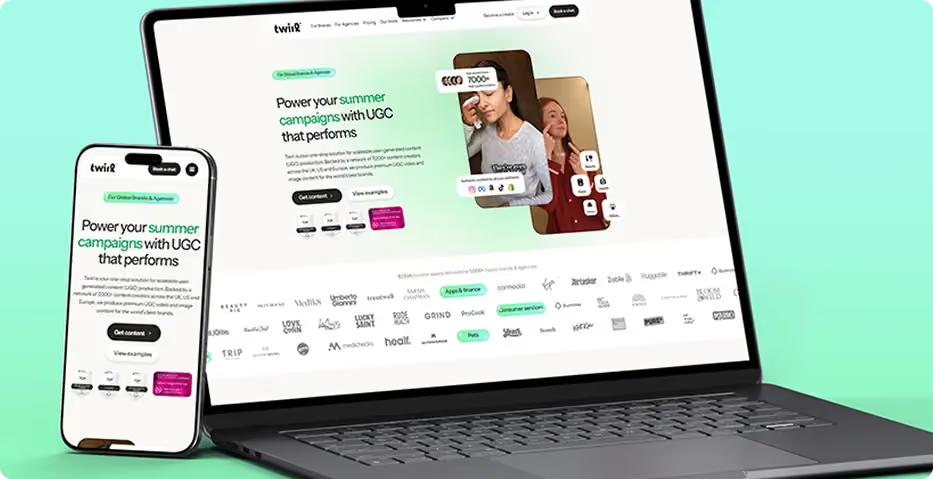
Twirl logoOnboarded team members photographed together

2 Weeks

Kickoff to launch

3 Distinct Segments

Audiences served

Technology

Industry
Read full case study
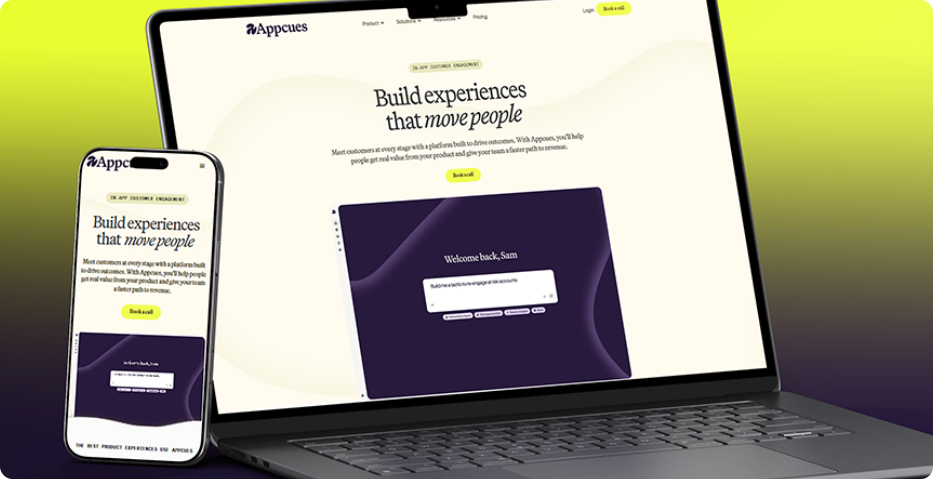
Appcues logoOnboarded team members photographed together

2 Weeks

Kickoff to launch

3 Distinct Segments

Audiences served

Technology

Industry
Read full case study

What Clients Say About Working With FlowMelon

"They quickly understood that we weren't repositioning a feature—we were redefining how the market sees our platform. The new site communicates our AI-powered vision with clarity and confidence, giving prospects a much stronger understanding of our value before they ever speak to sales."
MaryBeth McIvor, VP of Product, Appcues
"Our challenge was helping parents immediately understand why our learning model is different. The messaging now feels remarkably clear, credible, and persuasive. We've received consistent feedback that the website explains our approach better than any sales conversation could."
Amari Robinson, Co-Founder, TutorToday
"Balancing two completely different audiences on one website isn't easy, but they made it feel effortless. Both brands and creators now find exactly what they need without friction, resulting in a far more intuitive experience and a stronger platform presence."
Lara Stallbaum, Head of Growth, Twirl
"The new website finally reflects the quality of our brand. It positions us as a premium business while creating a seamless path for event organizers and corporate buyers to enquire. The entire experience feels intentional, polished, and built for long-term growth."
Neno Torres, Founder & CEO
"They transformed a collection of individual businesses into one cohesive brand story. The new site showcases the full portfolio beautifully, helping visitors discover services they would have otherwise missed. It's elevated both our positioning and the customer journey."
Max Sher, Managing Director, Willowshore
"They took the time to understand how insurance executives actually evaluate solutions, then translated that insight into a website that feels intuitive from the first click. The result is a stronger enterprise presence that communicates our capabilities with far greater precision and authority."
David Reynolds, Chief Operating Officer, OIP Insurtech

Frequently Asked Questions About Webflow Migration

What is Webflow migration?
Toggle answer
Webflow migration is the process of moving a website from an existing CMS or website platform to Webflow. It involves transferring and restructuring content, rebuilding layouts, accounting for integrations, mapping existing URLs, and testing the new website before launch. A complete migration plan also considers search visibility and the publishing needs of your team.
Can you migrate my website to Webflow from WordPress?
Toggle answer
Yes. FlowMelon migrates websites from WordPress to Webflow. The process can include reviewing existing pages and posts, reorganizing content into CMS collections, mapping URLs from a full crawl, and assessing plugins that can be retired or replaced. Redirects are tested on staging before launch.
Will migrating to Webflow affect my Google rankings?
Toggle answer
Any website migration can affect organic search performance, so protecting existing search visibility is an important part of the process. FlowMelon crawls your existing website, creates a one-to-one redirect map, tests redirects on staging, and benchmarks rankings before launch. Rankings are then monitored daily for thirty days. These measures help identify potential issues, but no migration can guarantee that rankings will remain unchanged.
How do you handle URL redirects during a Webflow migration?
Toggle answer
We crawl the existing website and map relevant URLs to their intended destinations on the new site. The redirect map is implemented and tested on staging before launch. This helps preserve useful URL relationships, reduce broken links, and give search engines clearer paths to the new pages.
Can I migrate from HubSpot to Webflow without losing my CRM?
Toggle answer
Yes. FlowMelon can move your blog and landing pages to Webflow while keeping HubSpot forms, workflows, and reporting running. The migration plan accounts for the systems your marketing team relies on, allowing you to change your website platform without automatically replacing your CRM setup.
Can complex websites migrate from Drupal to Webflow?
Toggle answer
Complex sites require careful content modeling. We translate Drupal content structures into appropriate Webflow collections rather than flattening everything into basic pages. Multilingual content and permissions are also considered during planning so the destination structure reflects the website's requirements.
Will my team be able to update the website after migration?
Toggle answer
Yes. We build the CMS around your team's publishing workflow and provide a recorded walkthrough and written manual. Webflow allows marketers to update content and launch pages without filing a developer ticket for every routine change. Your team receives guidance on using the new setup after launch.
How long does a Webflow migration take?
Toggle answer
The timeline depends on the size of the website, its content structure, required functionality, and the complexity of its integrations. FlowMelon's reference case study reports a two-week period from kickoff to launch, but that should not be treated as a standard timeline for every project. Your migration requirements need to be assessed before a project schedule can be established.
What support is included after migration?
Toggle answer
Two weeks of support are included after launch. During the post-launch period, rankings are monitored daily for thirty days as part of the migration process. If you need ongoing assistance beyond the included support, you can choose an optional retainer.
Who owns the Webflow website after migration?
Toggle answer
Your Webflow workspace belongs to you. The project is not designed to keep your website locked behind the agency's account. You retain control of your workspace and can manage your website independently, with optional continued support if needed.

Ready to Move Your Website to Webflow?

Your next website should make publishing easier, give your team more flexibility, and support the way your business grows. FlowMelon can help you plan the migration, organize your content, account for SEO, and prepare the new site for launch. Start with a migration audit to discuss your current platform, website structure, and requirements. We'll use that information to understand the work involved and identify the key considerations for your move to Webflow. Looking for a different type of Webflow project? Explore our Webflow Development, Figma to Webflow, and Webflow + Shopify services.
Prodermis logoYour Future Blueprint logoFox Real Estate logoExponential Advisors logo