FlowMelon
Webflow Development Agency
hello@flowmelon.com
FlowMelon logo
Book a Call
Book a Call
Certified Webflow Partner | Enterprise Partner

Webflow Shopify Integration That Puts Your Brand First

Your online store should look like your brand, not every other Shopify theme. FlowMelon combines Webflow's design flexibility with Shopify's proven commerce infrastructure to create a storefront that stands out, keeps product information organized, and guides customers toward checkout. You get creative control over the shopping experience while Shopify handles the commerce operations behind it.
Prodermis logoFox Real Estate logo

Selected Client Brands and Project Highlights

Certified Webflow Partner

Certified Webflow Partner and Enterprise Partner.

Selected client brands

Fox Real Estate, Neno Torres, Exponential Advisors, Your Future Blueprint, MailForge, Prodermis.

2 Weeks

Kickoff launch, as featured in the Twirl and Appcues case studies.

100% Automated Inventory

Automated inventory synchronization as a featured solution.
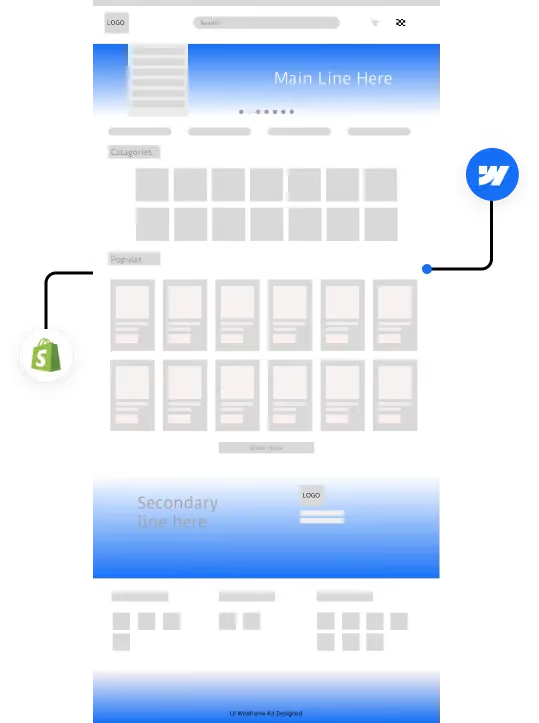
Diagram of a Shopify store connected to a Webflow-designed storefront

Your Store Should Not Be Limited by Its Theme

Shopify gives your business the tools to manage products, inventory, payments, and orders. But when your storefront needs a more distinctive experience, working within a theme can make every design decision feel like a compromise.
You might want product pages that tell a stronger brand story, campaign landing pages that match your latest marketing strategy, or a shopping experience designed around different customer groups. Yet even small changes can become difficult when your design depends on theme constraints or repeated developer edits.
Switching platforms entirely is not always the answer. You still need the commerce infrastructure your team relies on, including inventory management, payment processing, fulfillment, and subscriptions.
Webflow Shopify integration gives each platform a clear role. Webflow controls the customer-facing storefront, while Shopify manages the commerce operations and checkout. Your brand gets more room to express itself, and your team keeps the systems it needs to run the business.
FlowMelon builds this connection around your products, marketing goals, and operational requirements. The result is a more cohesive experience from the first page a visitor sees to the point where they complete their purchase.

Webflow Shopify Integration Services Built Around Your Store

Our integration approach brings storefront design and commerce functionality together without forcing either platform to do the other's job.

Custom Webflow Storefront Design

Build a shopping experience around your brand rather than adapting your brand to a preset theme. FlowMelon creates custom storefront pages that follow your design system, giving product pages, collections, lookbooks, and campaign landing pages a consistent visual language. Your storefront can support detailed product storytelling, distinctive layouts, and branded shopping experiences while Shopify continues to handle the commerce operations.

Product Catalog and Inventory Synchronization

Keep your product information organized in Shopify and connected to your Webflow storefront. Products, variants, pricing, imagery, and stock information can synchronize on a schedule your team controls. When you add products or update variants in Shopify, the connected storefront can reflect those changes according to the configured synchronization process. Automated stock updates also help prevent customers from selecting variants that are no longer available.

Shopify Checkout and E-commerce Workflows

Keep checkout and core commerce operations in Shopify instead of rebuilding them in Webflow. Orders, fulfillment, refunds, and subscriptions remain within the Shopify administration your operations team already knows. Customers can move from browsing your Webflow pages to completing their purchase through Shopify's checkout experience, with the handoff configured around the agreed integration requirements.

Product Pages That Support Buying Decisions

Give shoppers the information they need to understand a product before they buy. Custom product pages can bring together product imagery, variant selection, size guides, bundles, and editorial content in a layout designed for your customers. Shared components also make it easier to maintain a consistent experience across the catalog.

SEO and Conversion-Focused Storefronts

A connected store needs more than attractive pages. FlowMelon addresses URL structure, collection-page performance, appropriate schema implementation, and cross-domain tracking during the build. These elements help establish a clearer technical foundation for search visibility and measurement, with the right tracking in place to understand how visitors interact with the experience.

Persistent Cart and Smooth Checkout Handoff

A customer should not have to rebuild a cart because they navigated to another page. FlowMelon configures the shopping experience so the cart can persist across storefront pages and pass selected items to checkout intact. The exact behavior depends on the agreed integration and cart configuration.

Responsive Design and Performance

Your storefront needs to work across desktop, tablet, and mobile screens. FlowMelon builds responsive Webflow experiences and considers asset optimization, managed hosting, and global CDN delivery as part of the storefront setup. Performance considerations are incorporated into the implementation rather than left until after launch.

Flexible Campaign Pages for Marketing Teams

Give marketers greater control over the pages they publish. With a storefront built around reusable components and your design system, your team can create campaign pages, seasonal landing pages, and lookbooks without treating every update as a theme customization project. This also supports ongoing website improvements as your products, messaging, and marketing priorities evolve.

How Our Webflow Shopify Integration Process Works

Every project begins with your business requirements. FlowMelon reviews the storefront you need, the way your team operates, and the role each platform should play before defining the implementation.

Step 1: Review Your Store and Requirements

We examine your existing storefront, product catalog, design goals, and operational workflows. If you are launching a new store, we establish the intended customer experience and identify the requirements for connecting Webflow and Shopify. This review helps clarify the scope before development begins.

Step 2: Plan the Storefront and Integration

We define how the Webflow storefront and Shopify commerce system will work together. This includes the product data that needs to synchronize, the cart and checkout handoff, the page structure, and the tracking requirements. The plan establishes clear responsibilities for both platforms.

Step 3: Design and Build in Webflow

We develop the customer-facing experience around your brand and design system. Product templates, collection pages, and campaign content are structured to provide a consistent experience while giving your marketing team room to make updates. Responsive behavior and storefront performance are considered throughout development.

Step 4: Connect Shopify and Configure Workflows

We implement the agreed product synchronization, inventory behavior, cart functionality, and checkout connection. Shopify remains the central place for the commerce operations assigned to it, reducing the need to maintain duplicate product information across systems.

Step 5: Test the Shopping Experience

We review the storefront and its connected workflows before launch. Testing covers the agreed product and variant data, inventory updates, navigation, cart behavior, checkout handoff, responsive layouts, and analytics configuration. The aim is to identify integration issues before customers encounter them.

Step 6: Launch and Support Improvements

After the agreed checks are complete, we coordinate the launch and review the storefront's performance. FlowMelon also offers ongoing website support for content updates, CMS changes, design improvements, fixes, and performance optimization.

Why Choose FlowMelon for Webflow E-commerce Development?

A Storefront That Reflects Your Brand

Your storefront should communicate what makes your business different. FlowMelon uses Webflow's design flexibility to build a distinctive customer experience rather than forcing your brand into a standard Shopify theme.

Two Platforms With Clear Responsibilities

Webflow handles the visual experience customers interact with before checkout. Shopify supports the commerce operations behind the transaction. This division keeps the storefront flexible without requiring you to replace established commerce workflows.

Faster Collaboration and Clear Communication

FlowMelon values speed, quality, and communication throughout development. A clear project scope helps marketing teams, agencies, and business stakeholders understand what is being built and how the work supports their goals.

Designed for Your Team to Manage

Your marketing team should be able to work on campaign pages, lookbooks, and other storefront content without relying on developers for every change. Reusable components and a considered site structure support ongoing content management and improvements.

Built With Growth in Mind

Your catalog and marketing requirements may change as your business grows. FlowMelon structures the storefront to support expansion, from product presentation to collection organization, while keeping product management centralized in Shopify.

Project Scope Based on Your Requirements

Every store has different products, workflows, and design needs. FlowMelon reviews your requirements before establishing project-based pricing, allowing the scope to reflect the work involved rather than relying on an assumed one-size-fits-all package.

Because every design deserves perfect execution

We transform approved designs into pixel-perfect, responsive Webflow websites that match every detail.

FlowMelon team working on laptops in a co-working space

Webflow Projects Focused on Real Business Needs

Explore selected projects that demonstrate FlowMelon's work across digital experiences and audience-focused websites.

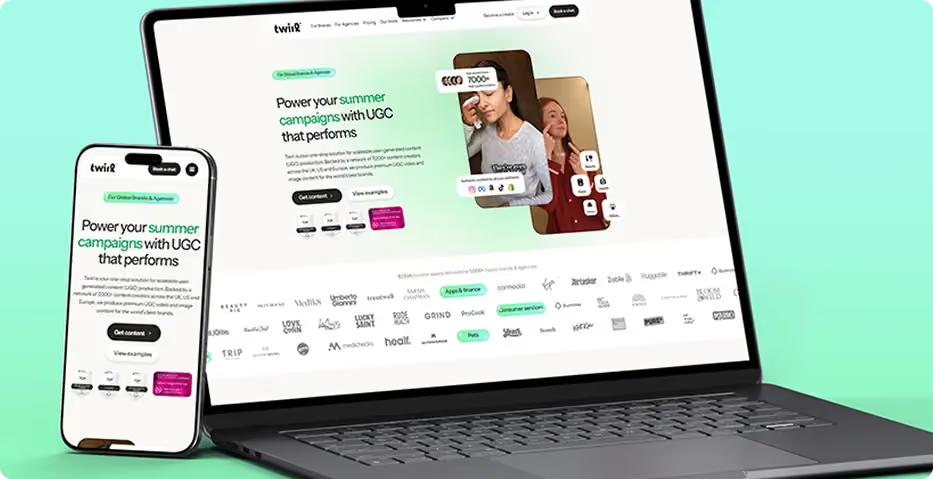
Twirl logoOnboarded team members photographed together

2 Weeks

Kickoff launch

3 Distinct Segments

Audience served

Technology

Industry
Read full case study
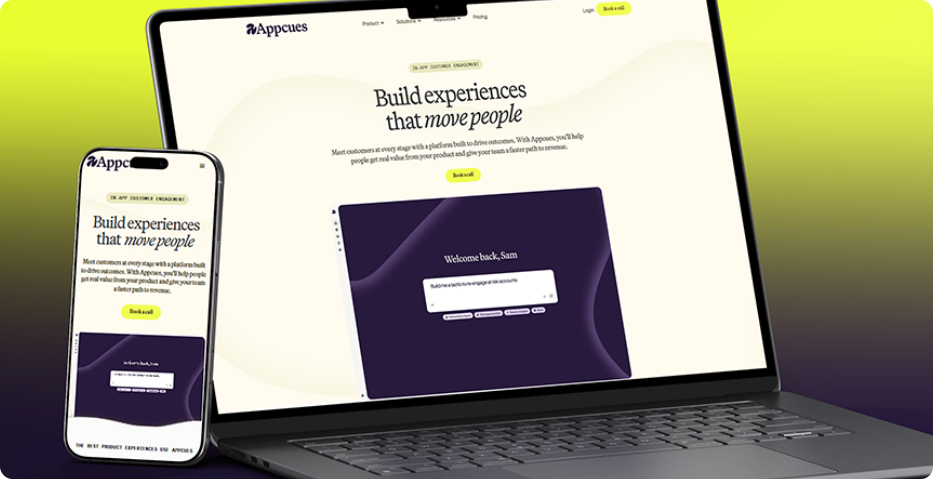
Appcues logoOnboarded team members photographed together

2 Weeks

Kickoff launch

3 Distinct Segments

Audience served

Technology

Industry
Read full case study

What Clients Say About Working With FlowMelon

The following testimonials reflect client experiences across FlowMelon's website projects.
"They quickly understood that we weren't repositioning a feature—we were redefining how the market sees our platform. The new site communicates our AI-powered vision with clarity and confidence, giving prospects a much stronger understanding of our value before they ever speak to sales."
MaryBeth McIvor, VP of Product, Appcues
"Our challenge was helping parents immediately understand why our learning model is different. The messaging now feels remarkably clear, credible, and persuasive. We've received consistent feedback that the website explains our approach better than any sales conversation could."
Amari Robinson, Co-Founder, TutorToday
"Balancing two completely different audiences on one website isn't easy, but they made it feel effortless. Both brands and creators now find exactly what they need without friction, resulting in a far more intuitive experience and a stronger platform presence."
Lara Stallbaum, Head of Growth, Twirl
"The new website finally reflects the quality of our brand. It positions us as a premium business while creating a seamless path for event organizers and corporate buyers to enquire. The entire experience feels intentional, polished, and built for long-term growth."
Neno Torres, Founder & CEO
"They transformed a collection of individual businesses into one cohesive brand story. The new site showcases the full portfolio beautifully, helping visitors discover services they would have otherwise missed. It's elevated both our positioning and the customer journey."
Max Sher, Managing Director, Willowshore
"They took the time to understand how insurance executives actually evaluate solutions, then translated that insight into a website that feels intuitive from the first click. The result is a stronger enterprise presence that communicates our capabilities with far greater precision and authority."
David Reynolds, Chief Operating Officer, OIP Insurtech

Webflow Shopify Integration: Frequently Asked Questions

What is Webflow Shopify integration?
Toggle answer
Webflow Shopify integration connects Webflow's website design and content capabilities with Shopify's commerce infrastructure. Webflow provides the customer-facing storefront, while Shopify manages the commerce functions assigned to it, such as product information, inventory, orders, and checkout. The exact setup depends on your catalog, shopping experience, and business requirements.
Why combine Webflow and Shopify instead of using a Shopify theme?
Toggle answer
Shopify themes provide a way to launch a store, but their design constraints can make a distinctive brand experience harder to achieve. Webflow offers more flexibility over storefront layouts, product presentation, and campaign pages. Combining the platforms allows your brand to have greater control over the storefront while retaining Shopify's established commerce tools.
Can my products and inventory sync between Shopify and Webflow?
Toggle answer
Yes. The integration can be configured to synchronize product details, variants, pricing, imagery, and inventory information. The synchronization schedule and behavior depend on the agreed setup. Keeping Shopify as the central product catalog helps your team avoid maintaining separate versions of the same product information.
Will customers still use Shopify checkout?
Toggle answer
Yes. The intended setup retains Shopify checkout for completing purchases. Customers browse the custom Webflow storefront and are directed to Shopify's checkout through the configured cart and checkout handoff. This approach preserves Shopify's established checkout infrastructure rather than rebuilding the payment experience in Webflow.
Can I customize product pages and collection pages?
Toggle answer
Yes. Webflow allows the storefront to follow your brand's design system instead of being restricted to a standard theme layout. Product pages can incorporate imagery, variant selection, size guides, bundles, and editorial content as required by the project. Collection pages can also be designed to make browsing more consistent with your customers' needs.
Is Webflow Shopify integration suitable for an existing Shopify store?
Toggle answer
Yes. It can suit businesses that have outgrown their current theme or want a more distinctive storefront without abandoning Shopify's commerce operations. FlowMelon reviews your existing site, catalog, and workflows to determine the requirements for the new storefront and its connection to Shopify.
How does the integration affect SEO?
Toggle answer
SEO depends on the site's structure, implementation, content, and ongoing maintenance. FlowMelon considers URL structure, collection-page performance, appropriate schema, and cross-domain tracking as part of the project. During planning, the team can review the existing site's requirements and determine how the new storefront should handle relevant URLs and measurement.
Can my marketing team update the Webflow storefront?
Toggle answer
The storefront can be structured to help marketers manage campaign pages, lookbooks, and content without requiring a developer for every change. Reusable components and a considered CMS setup can support a more manageable publishing workflow. The level of editing access and the content your team manages depend on the final site structure.
How much does Webflow Shopify integration cost?
Toggle answer
Project-based pricing depends on your requirements. Factors include the storefront design, product catalog, synchronization needs, cart behavior, checkout connection, and other agreed functionality. FlowMelon reviews your project scope before determining pricing. Book a store strategy call to discuss your current setup and the experience you want to create.
Does FlowMelon provide support after launch?
Toggle answer
Yes. FlowMelon offers ongoing website support that can include content updates, CMS changes, design improvements, fixes, and performance optimization. The appropriate support scope depends on your storefront and the work your team needs after launch.

Ready for a Storefront That Feels Like Your Brand?

Your store should give customers a reason to remember your brand while making it easy for them to shop. FlowMelon brings Webflow's design flexibility together with Shopify's commerce capabilities to create a connected experience built around your business requirements. Whether you are launching a new store, redesigning an existing storefront, or looking for more control over your marketing pages, let's discuss the right approach for your team.
Prodermis logoYour Future Blueprint logoFox Real Estate logoExponential Advisors logo